In last 6 months, I’ve coded 18 MVPs for clients using Cursor. Here’s my full workflow: → Cursor Project Rules → Gemini Pro 2.5 for context → Sonnet 3.5 for execution → CodeGuide for docs Bookmark this and copy my Cursor AI workflow: ↓
In last 6 months, I’ve coded 18 MVPs for clients using Cursor. Here’s my full workflow: → Cursor Project Rules → Gemini Pro 2.5 for context → Sonnet 3.5 for execution → CodeGuide for docs Bookmark this and copy my Cursor AI workflow: ↓
1/ Without planning, Cursor = Chaos When it comes to coding with Cursor, context is everything. If you don't spend time planning, AI models will hallucinate The result? - Random folder structures - Broken logic - Hallucinated layouts How I fix it: I don’t rely on prompts. I
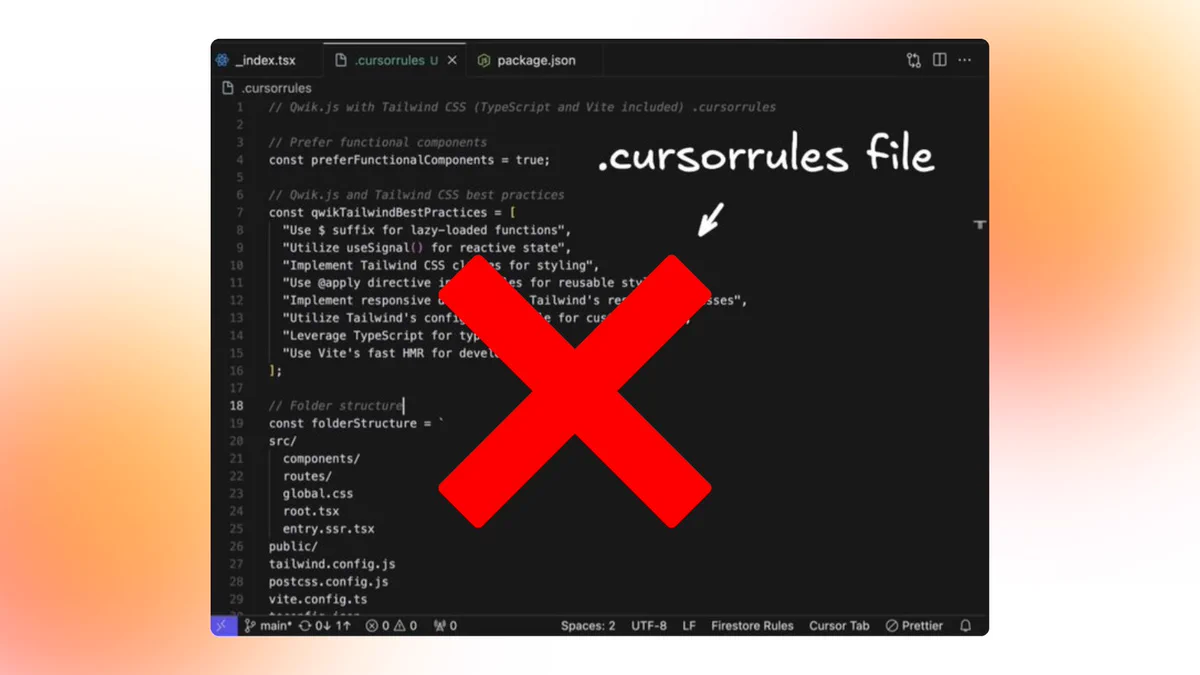
2/ Don’t use cursorrules file! .cursorrules is a single file with global rules. It works… until it doesn’t. Problems: - One-size-fits-all logic - AI can’t the entire file every time - Hallucinations when rules get too broad AI needs structure. .mdc Project Rules fix that.
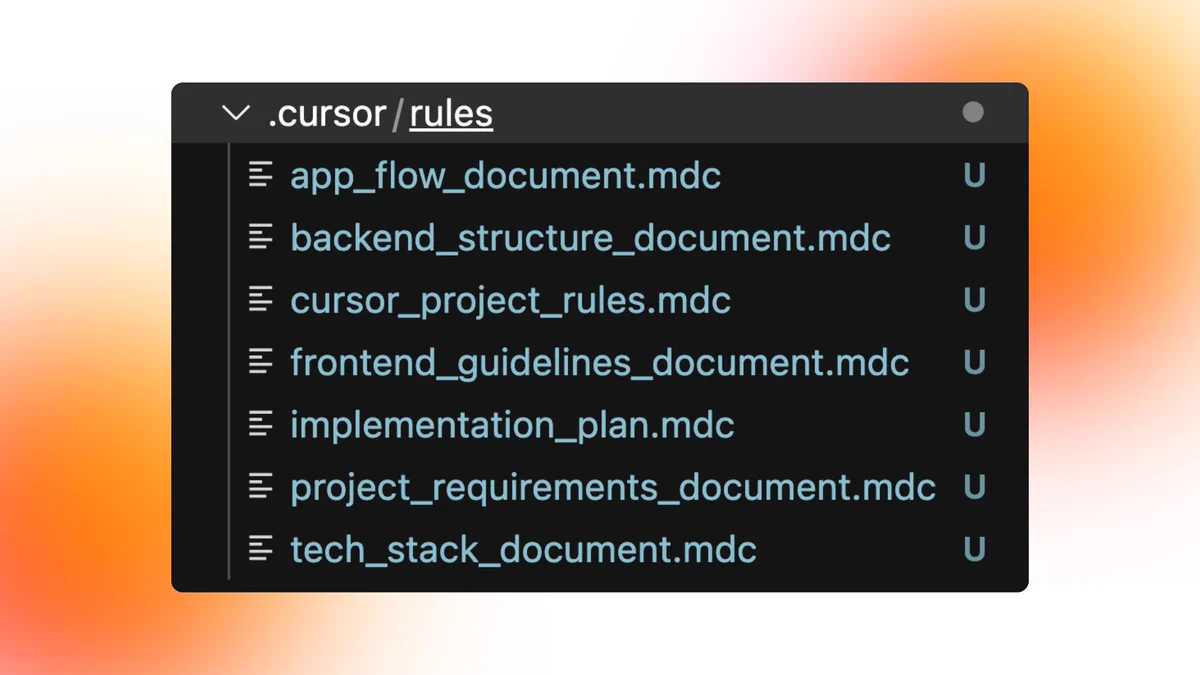
3/ The new standard: Project Rules If Cursor doesn’t understand your product, it will hallucinate. That’s why I generate 7 .mdc docs before I write a single line of code: 📁 .cursor/rules/ - backend_structure_document.mdc - app_flow_document.mdc - tech_stack_document.mdc -
4/ Why this structure matters Each .mdc file gives Cursor scoped knowledge: - frontend_guidelines_document.mdc → styling, component rules - backend_structure_document.mdc → API patterns, DB queries - cursor_project_rules.mdc → global coding standards -
5/ I generate these docs using
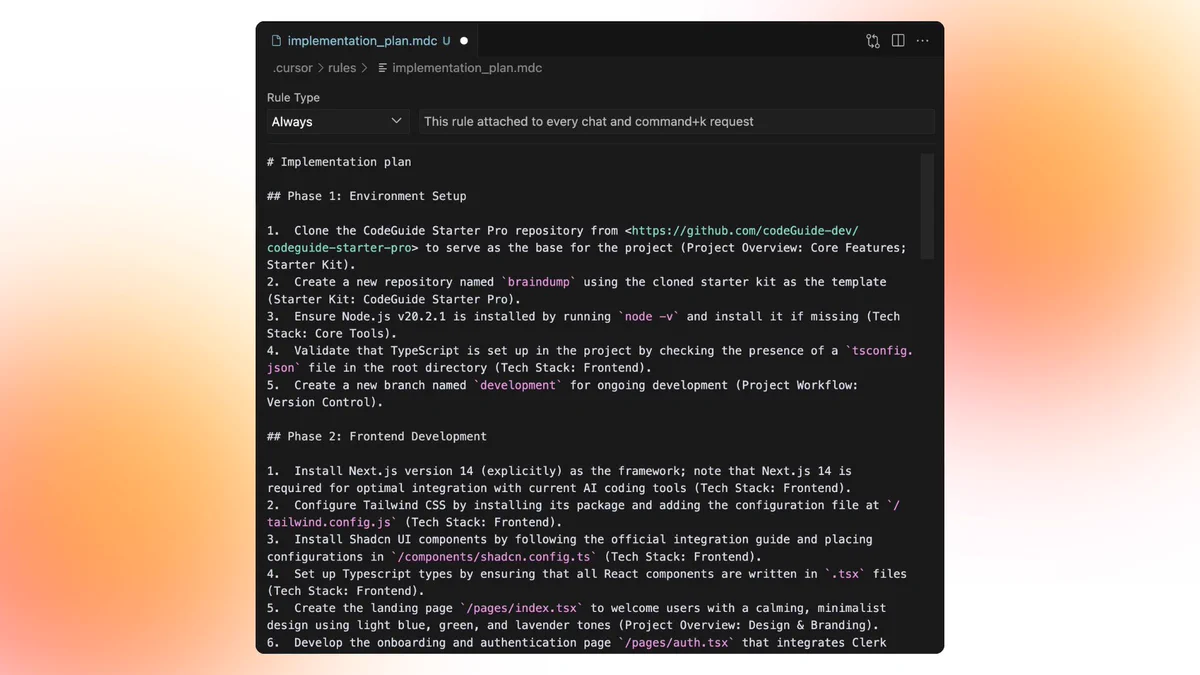
@CodeGuidedevIt gives me: - A complete PRD - Detailed App Flow - Tech Stack + API usage - Design System (fonts, layout, spacing) - Auth, DB, and backend setup - A 50-step Implementation Plan I save each as an .mdc file. Cursor reads them like a
00:47
6/ Use the right model for the right job Here’s the exact setup I use after delivering 18 MVPs using Cursor: Gemini 2.5 Pro → Scan full codebase (1M context) → Catch issues → Update .mdc docs Claude Sonnet 3.5 / 3.7 → Execute features → Fix logic → Build from the
00:09
7/ Cursor Agent + Implementation Plan = fast builds The implementation plan from CodeGuide is the blueprint. I attach it as implementation_plan.mdc and prompt: “Follow Step 1 from the plan.” Cursor Agent builds step-by-step. No assumptions. No jumping around. Just clean
8/ Supabase + MCP handles the backend Cursor can now: - Connect to Supabase - Create + modify tables - Apply policies - Sync local + remote DBs This entire flow is triggered from your .mdc backend structure + schema docs. Again, planned with CodeGuide. Executed by AI.
9/ Final Setup = My 2025 Dev Stack - CodeGuide → generates your AI Knowledge Base - .cursor/rules/*.mdc → context boundary - Gemini 2.5 → scan + update - Sonnet 3.5/3.7 → execute + debug - Cursor Agent → follow the plan - Supabase MCP → automate backend - Vercel → deploy
10/ Final takeaway AI doesn’t replace developers. It replaces chaos, if you give it structure. - Planning > prompting. - Context > guessing. - Execution > exploration. Use Project Rules. Use multiple models. Use
@CodeGuidedevto generate your docs. And
@cursor_aiwill

looks good! we have some coming changes for rules that i think you're gonna like
Did someone say … cookies?
X and its partners use cookies to provide you with a better, safer and faster service and to support our business. Some cookies are necessary to use our services, improve our services, and make sure they work properly.