First - get homebrew if you haven't.
/usr/bin/ruby -e "$(curl -fsSL https://raw.githubusercontent.com/Homebrew/install/master/install)"

brew install wget
Then follow this for installing gbdk, or do what's in the box.
https://github.com/dunn/homebrew-formulae
brew tap mistydemeo/formulae
brew install
Then start a new.c file with your text editor of choice
nano new.c and copy this example I borrowed from the credited site
#include <gb/gb.h>
#include <stdio.h>

void main()
{
        printf("Welcome to GAMEBOY\nProgramming");
        printf("\nPress Start");
        waitpad(J_START);
        printf("\nIsn't it easy!");
}
Run the compiler
lcc -o new.gb new.c
Lastly, get mGBA to emulate your "game" - example
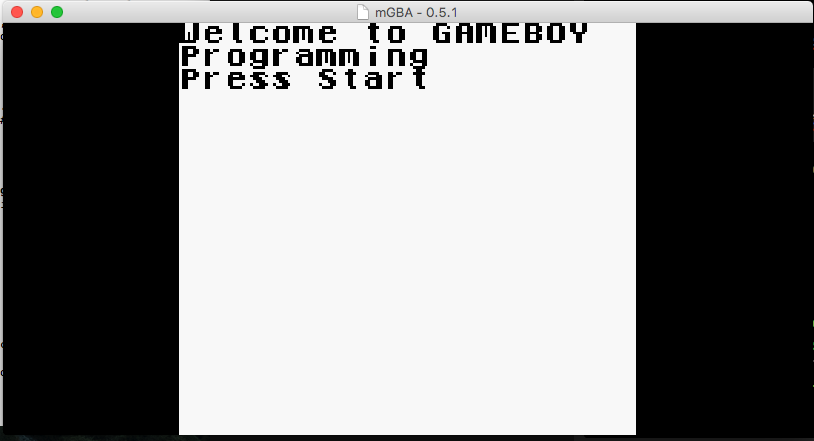
and after you hit [ENTER]
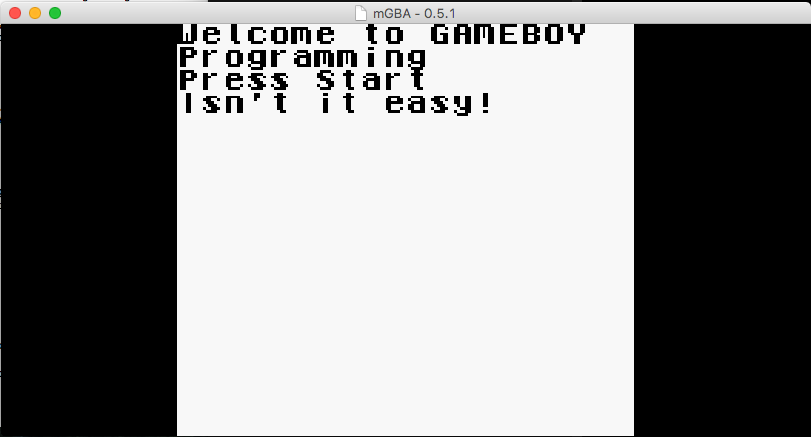
Discussions
Become a Hackaday.io Member
Create an account to leave a comment. Already have an account? Log In.

davedarko wrote 11/17/2016 at 01:57
It now looks easy ;) took me 5 hours of googling and cursing. I started on the PI zero because I thought it would be easier to run the gbdk on linux, but then I got to the homebrew thing (its THE place to go, obviously, but I didn't know that :D ) and then I just googled "gbdk + brew" and hallelujah! It came to a lot of "ignoring tutorials" because they were all written around the year 2000 for windows pcs...
new.gb would be the rom "image" - and the hardware goal is to do exactly that, yes :) I've always wanted to do that but never dared to, this website cured me from holding back!
Eric Hertz wrote 11/17/2016 at 02:19
ohhh, I didn't catch that. Homebrew is the general-purpose package-manager for MacOS, kinda like Macports... and gbdk must be Game-Boy Dev-Kit... I see that gdbk isn't in my linux package-manager... hmmm...
Oh man, that looks too easy. Can you then load new.gb directly into your cartridge's EEPROM and run this on your actual gameboy?
Gameboy-oscilloscope, here we come!