Tech
Many times the basic isn’t what you need. Luckily, there are plenty of alternatives.
Credit: Aurich Lawson
Credit: Aurich Lawson
Third-party apps didn’t exist when the iPhone first launched in 2007. At that time, Apple offered its own set of built-in iOS apps, and users were relegated to Web apps if they wanted tools made by someone else. Luckily, things have changed since; we now have hundreds of thousands of apps to choose from for our iPhones, iPads, and iPod touches. Many of them even offer similar or better functionality than the default apps from Apple.
Users still can’t delete Apple’s default apps from iOS devices (grumble grumble…), but there are plenty of useful alternatives out there for people hoping to use something other than the default. Readers are always asking about which apps the Ars staff uses when they choose to ditch the Apple’s camera, mapping, music, or other apps. I put out a call to our editors and writers to find out what the Ars staff uses for the major app categories (and why). Here’s what we came up with:
Maps
Google Maps

I never upgraded my iPhone 4 from iOS 5 to iOS 6, so I can’t say if the new Apple Maps are as bad as people claim. However, I rushed to download the new Google Maps when it hit the App Store and haven’t been disappointed. The underlying map technology is the same as the one in my stock app, since iOS 5’s pre-installed app also relies on Google. But the spoken turn-by-turn directions and traffic data make the new version of Google Maps far superior.
The only thing missing was voice control… until I started using the voice-activated search in Google’s iOS search app. Using a jailbreak tweak, I set my phone to automatically open Google search when I press the home button down for a second. From there, I can do a voice search for directions, and the Google search app will redirect me to the Google Maps app. —Jon Brodkin
MotionX-GPS Drive
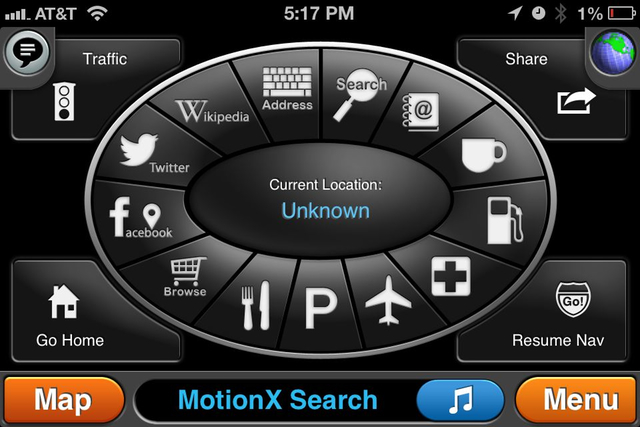
I started using MotionX GPS Drive before Apple’s Maps app provided turn-by-turn, and I’m sticking with it after getting some insane results from Apple. The app is free, but turn-by-turn is an in-app purchase. Unlike Apple’s default app, you can pick the view you want while navigating, including a view with traffic information. The search function offers a number of different ways to find destinations and also allows you to record a parking spot so you can find your way back to your car easily. You can save your home address to “get me home” directions in one click.
Plus, you get a choice of voice packages for the turn-by-turn directions. You don’t have to listen to the Daria-like Siri all the time. —Sean Gallagher
Camera/photos
VSCO CAM
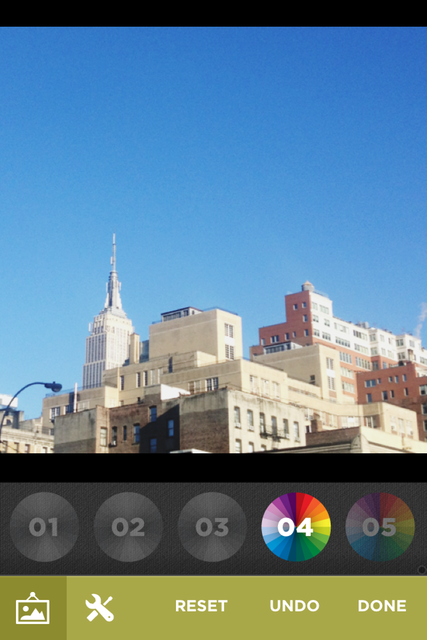
The editing and correction features of this simple little app make even the dullest photo from my camera roll look professional and moody. Casey Johnston tipped me off to this one. Now I process all my photos in VSCO before they go to my Instagram. You can edit and export to the camera roll or share on e-mail, Facebook, and Twitter. —Cesar Torres
Camera+
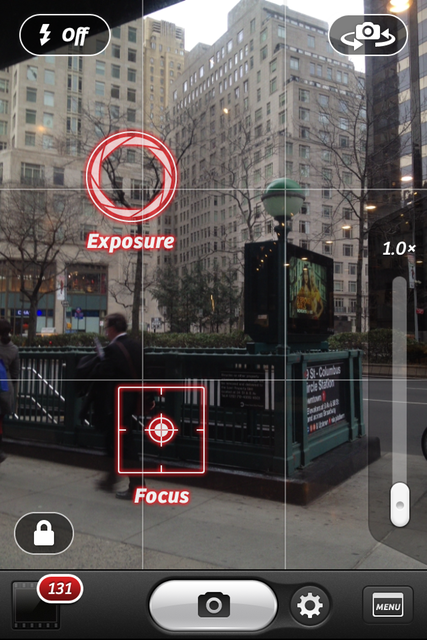
I oscillate between Camera+ and the stock Camera app. I can use Camera right from the lock screen, but I have to log into my phone to use Camera+. In a perfect world Camera+ would be on that lock screen trigger.
Camera+ allows me to separate the points of focus and exposure in a shot, which is great for when those two points aren’t the same (which is most of the time). I also like that it saves shots to a separate Lightbox, which makes it easier to select one or multiple shots from a bunch of tiny iterations, save them to my phone, and then clear out the ones I don’t need. It’s a great space saver.
An onscreen grid and a horizon level monitor in Camera+ make it easier to line up shots. Camera+ can’t shoot HDR the way the default camera can, which is a downer, but if the lighting situation isn’t too tragic, you can get away without it. —Casey Johnston
Music/audio
Public Radio Player by PRX
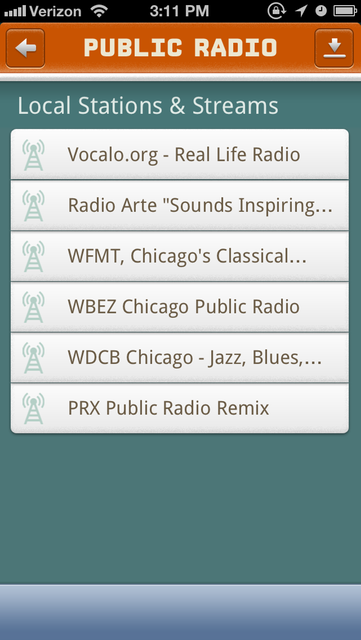
One app I use a lot is Public Radio Player by PRX. It doesn’t replace a default app so much as my analog alarm clock (which gets crappy reception in my bedroom). Now when I want to listen to NPR in the morning in bed, I just use that. —Joe Mullin
Hype Machine
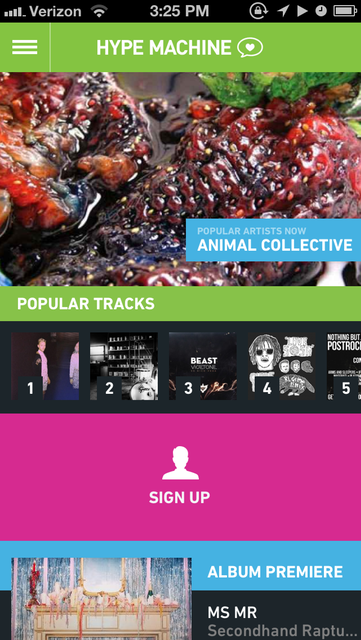
I’m not gonna lie; this app may not be for everybody. But if you like remixes and mashups, it’s hard to argue with Hype Machine. The website for Hype Machine works well, but on iOS devices the app helps to bring new music and remixes to you without having to fire up Safari. For me, it’s mostly about music discovery. And unlike Twitter Music, Hype Machine allows you to listen to full tracks. When it comes to finding the latest music, there’s nothing I don’t like about this app. —Jacqui Cheng
Stitcher
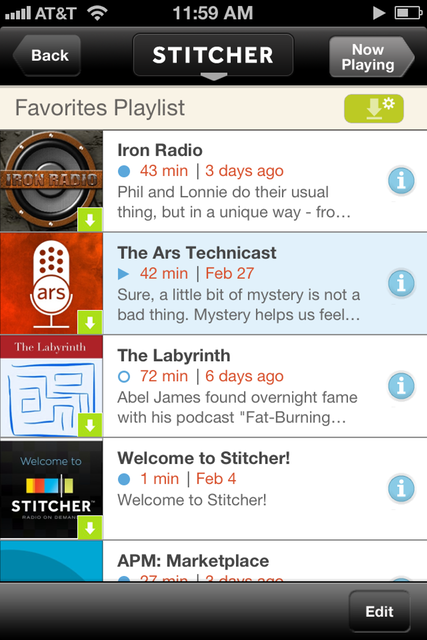
Stitcher streams thousands of podcasts straight to my phone without ever having to fuss with syncing with my desktop. Its latest version can even store the latest episode of my favorite podcasts locally. It’s a great alternative to Apple’s dismal Podcasts app. Be aware, however, that not every podcast in the universe is listed in Stitcher, so from time to time you’ll find one of your favorite shows is not available. But don’t fret—you can listen to the Ars Technicast there! —Cesar Torres
Weather
WeatherBug Elite
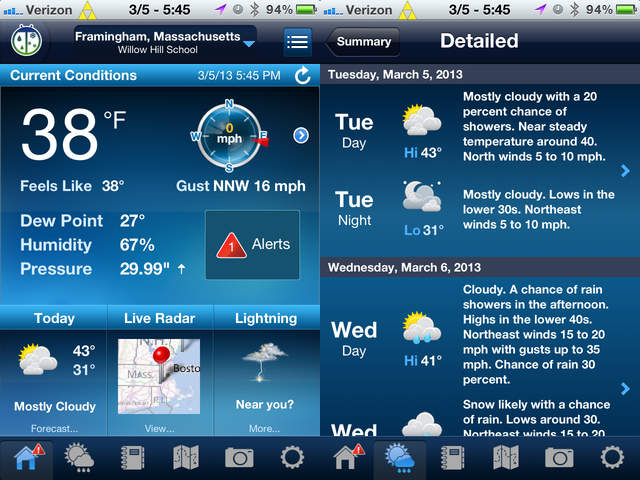
Apple’s weather app (at least in iOS 5) is too limited for anything but a quick check of the weather. It provides a nice at-a-glance forecast of the day’s weather and a look at the rest of the week, with the high and low temperatures and an icon to show if it’s going to be sunny, rainy, snowy, or whatever. You can also see an hour-by-hour forecast for the next 12 hours, but there’s nothing beyond that. I can’t count how many times I’ve tried to click a day three days from now to see a more detailed forecast… only to be given the forecast for the next 12 hours instead. The Apple app has a Yahoo weather link that takes you into Safari, but even that doesn’t provide more detailed information.
So WeatherBug Elite is what I use instead. It provides those detailed forecasts for the next week, separated into day or night or hour-by-hour. It has a lot of extra bells and whistles targeted to weather geeks like live radar, photos from weather measurement sites, stats like dew point and humidity, pollen counts, and more. I rarely use anything more than the simple, week-ahead forecast, but even on that front WeatherBug is so far ahead of the iOS 5 weather app that $2 was well worth it. —Jon Brodkin
(Editor’s note: we had such enthusiasm for WeatherBug Elite that we included two writeups about it. Here’s the second one.)
I am a weather nerd. I revel in the eight-plus minutes WGN devotes to Tom Skilling‘s weather forecasts every weeknight. So the Weather app included with iOS doesn’t cut it for me. Thankfully there are a few alternatives. While The Weather Channel app is nice to look at and offers a good overview of the local weather, the data isn’t granular enough for me. My go-to app for current weather and forecasts is WeatherBug.
Thanks in part to its location next to Lake Michigan. the Chicagoland area weather can vary greatly in locations just a few miles apart. WeatherBug uses local weather stations to give real-time conditions at locations all over the area. So if it’s 45° where I live and I have to referee a game 10 miles to the southwest, I can check a local WeatherBug station and find out that it’s 15° warmer because the breeze blowing off the lake isn’t reaching there. I can also view a map with radar, satellite, and temperature overlays or check the hourly and daily forecasts. The only feature it lacks compared to The Weather Channel app is an animated map showing projected future conditions—useful if you want to see if those clouds on the horizon are going to ruin your picnic in the next half-hour. —Eric Bangeman
Weather Dial
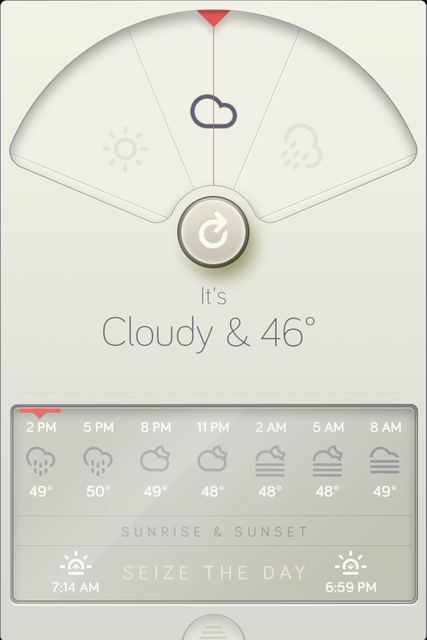
I check the weather about 10 times a day, whether I am heading out for a run, a trip to Manhattan on the subway, or planning for the next day. Weather Dial always tells me the down-and-dirty details. Is it too wet to run without a jacket? Do I need an umbrella? The interface is beautiful, and it does the job with amazing simplicity. —Cesar Torres
Yahoo Weather

It’s almost shocking to think that Yahoo might have released a truly high-quality app for the App Store, but in this case it’s true. The Yahoo Weather app is beautiful to look at because it brings in photos from Flickr that match the city you’re looking at. When you’re ready for more info, you can swipe up to see the five-day forecast and swipe even further to see a radar map, wind and pressure, sunrise and sunset times, precipitation, and more. Overall, it’s pretty good. —Jacqui Cheng
Calendar
Fantastical
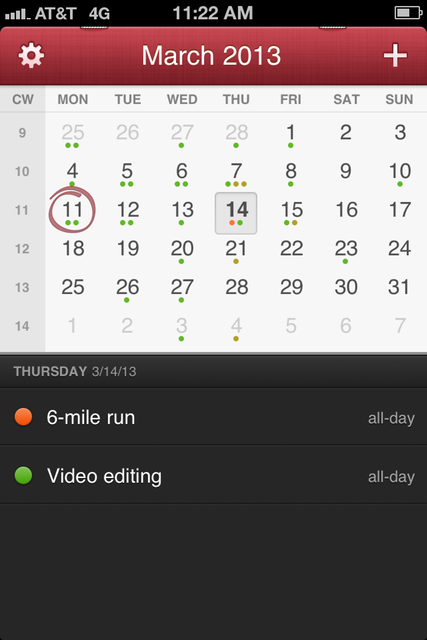
Fantastical has completely elbowed out both Apple’s calendar and my Google Calendar bookmark on my iPhone. It’s my go-to app on both mobile and desktop (the desktop version is excellent). Fantastical can take voice commands and natural-language written statements to act as your personal secretary. Just type in “Meeting Tuesday at nine thirty,” and it places the right item on your calendar. The user experience on its multiple calendar views is also excellent. —Cesar Torres
Clocks/Alarms
Alarm Clock Pro
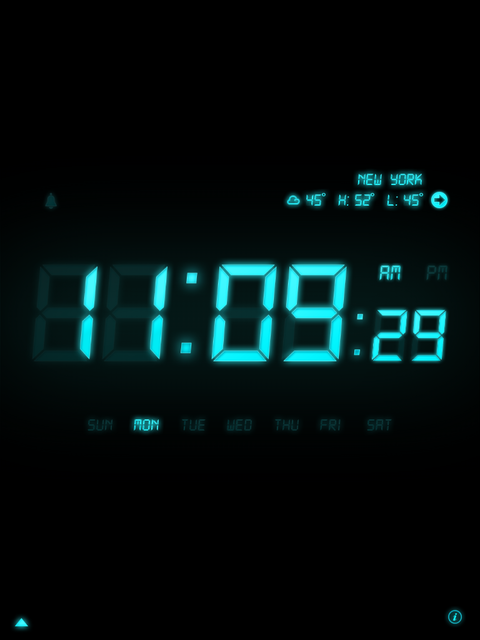
Alarm Clock Pro uses the best design elements of an old-school alarm and the new features of iOS devices. The old LCD-style display is large, customizable, and dimmable, which is excellent unless you like your whole room to glow like a nuclear reactor at night. The app also lets you use your MP3 songs as alarm tones, and it shows the current local weather to boot. —Cesar Torres
Uniqlo Wake Up
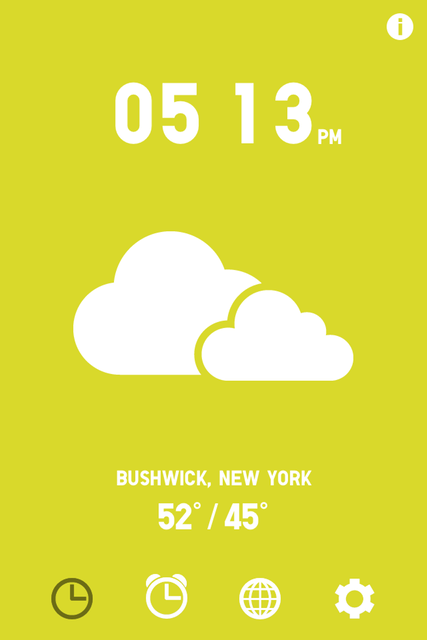
I like Uniqlo Wake Up more for its style than its robust features. Uniqlo allows you to set alarms with a similar interface to the stock Clock app, but when the alarm rings, Uniqlo plays a tune and sings a song about the time and the weather outside.
When your alarm goes off, the app announces the hours and minutes as well as whether it is sunny, cloudy, or raining. The display shows a basic icon for the weather and the temperature high and low for the day. You can share your alarms to social services like Twitter as well (although I don’t know why you would want to). I find it a cute and pleasant way to be shocked into consciousness. —Casey Johnston
Reminders/notes
Evernote
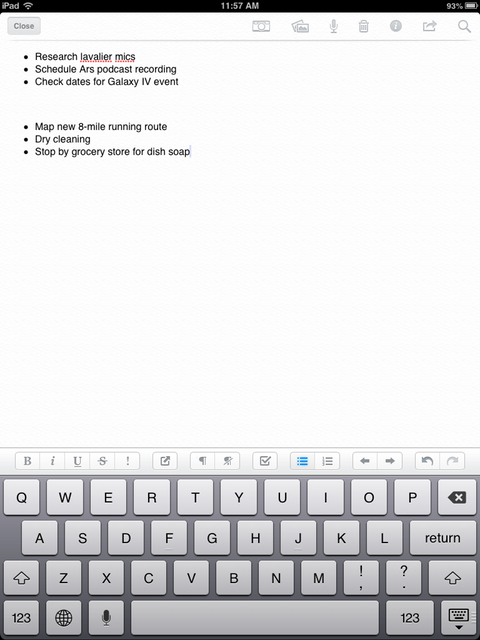
When I need to write to-dos and tasks, I use the cloud note-taking tool Evernote. I simply keep one page called “4 minutes” in which I jot down my tasks for that day in addition to shopping lists or anything else that needs my attention. As I finish a to-do list on this page, I delete it. I used Simplenote for years for this purpose, but I have found Evernote to be more stable recently, so I migrated. —Cesar Torres
TeuxDeux
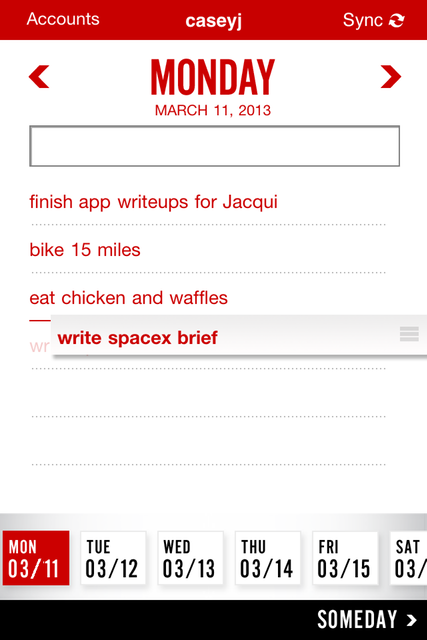
I can endlessly fetishize and obsess over organizational materials and tools—a planner with day, week, month, year, to-do, master to-do, and diary pages will keep me so occupied I never accomplish anything on any of my lists. So when I have to clean out my head with a to-do list, I restrict myself to simple utilities like TeuxDeux.
TeuxDeux has both iOS and Web presences and your account can sync between the two. You can also fast-switch between accounts on the app if you want to have separate to-do presences. You can make a list of to-dos for each day, drag them around to rearrange or move to a different day, cross them out to keep them visible, or delete them. It’s wonderfully like using a piece of paper, but it’s more portable. A separate “someday” to-do list is also there for less pressing projects (the “important but not urgent” tasks, for Stephen Covey-ites). Otherwise, the app lets you take things one day at a time. —Casey Johnston
Sparrow
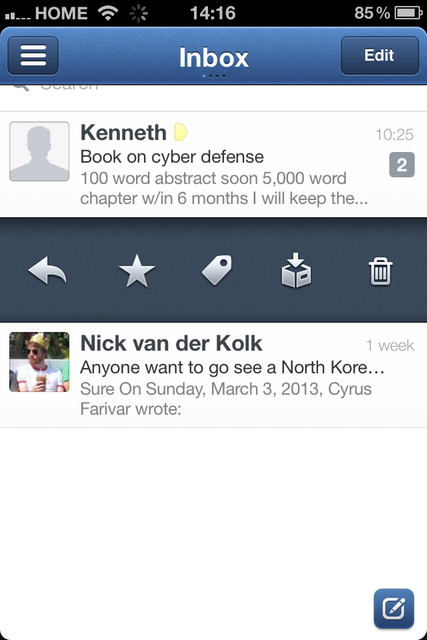
One app that I use to replace the standard iPhone apps on my phone is Sparrow, a French-made e-mail client acquired by Google last year. What makes it so great? Primarily, the presence of a “Send and Archive” button, which means I can respond and clear my inbox in a push. It’s nice to see a feature that should be obvious actually be there. Plus I can easily swipe over and get a choice of reply, star, tag, archive, or delete all in a single window rather than dealing with Mail’s multiple choices using multiple gestures or buttons. (Sadly, Sparrow doesn’t yet work with Exchange so I can’t read my Ars e-mail on it—although I’d love to try Mailbox!) —Cyrus Farivar
What about you?
We’re sure you have plenty of suggestions for what you use instead of Apple’s default apps. What are your favorite alternate apps for the major (and minor) app categories?
Listing image: Aurich Lawson

Jacqui is an Editor at Large at Ars Technica, where she has spent the last eight years writing about Apple culture, gadgets, social networking, privacy, and more.