Designing a user interface for iPhone is totally different than designing for the web. Small screen, fixed width, users are on the move etc.
I’ve been designing a couple of iPhone apps recently and while doing so came across some useful techniques that I thought I would share for any designers who have still to move from web to iOS design. Good luck designing your mobile apps for iPhone!
1. Setup Photoshop
If you’re designing for iPhone 4 you’re designing for a high-res retina screen. 2 pixel lines appear as 1 point when they’re shown on screen.
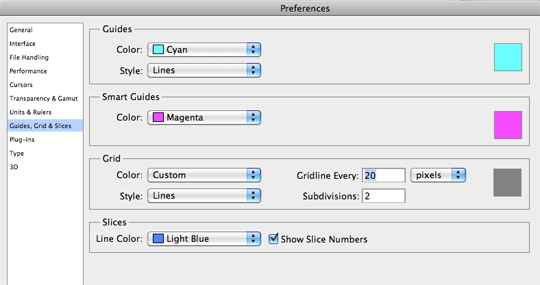
Setup your Photoshop grid so the minimum grid lines are split in 2 pixels.
Photoshop > Preferences > Guides, Grid & Slices
I set the gridline to every 20 pixels, and subdivisions to every 2 pixels.
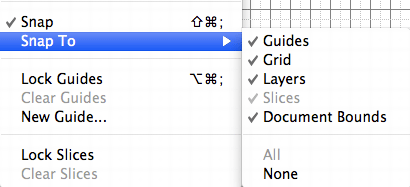
Now ensure you have snap setup to snap to all, ensuring any objects you move will snap to the 2px grid.
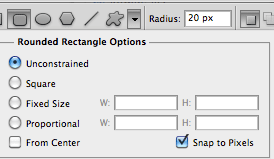
Also ensure your shapes tool is setup to snap to pixels. This should keep everything nice and sharp.
Colours look different on different screens so you may want to adjust your colour settings also.
There’s a good article by bjango on how to setup colour preferences for iPhone in Photoshop.
2. Have a PSD template
If you’re a web designer you more than likely have a PSD template for designing a web site in Photoshop or a framework for marking it up in HTML/CSS.
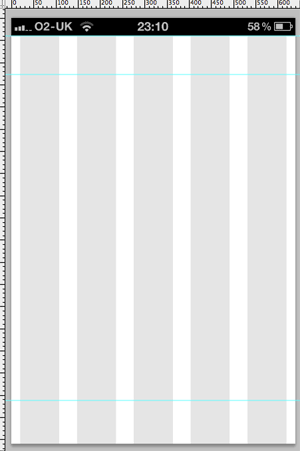
Do the same for designing an iPhone app. Have the ‘static’ elements in place (e.g. status bar), a grid to work to and typical guide lines you might want to use (e.g. a guide line for the tab bar).
You may even want to have several elements to hand like buttons, text etc.
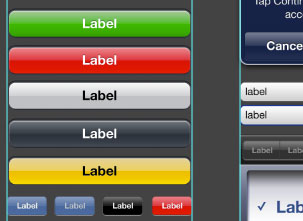
3. Download the iPhone 4 GUI PSD retina display
Save yourself some time and effort by using Teehan+Lax’s iPhone 4 GUI PSD retina display elements.
Even if you’re designing your own style of buttons, tab bars etc. these will come in very handy.
4. Use Liveview to preview your user interface
It’s impossible to get a good idea of how an iPhone interface will actually look on an iPhone when you’re designing on a monitor.
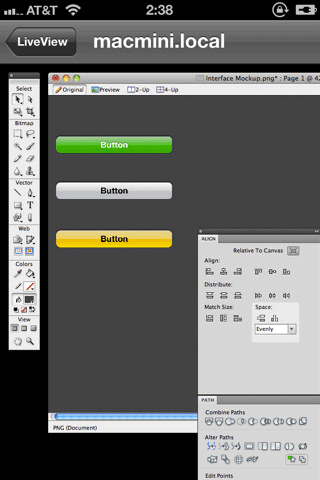
Thanks to Nicholas Zambetti, there’s a free app to help you live preview your UI on iPhone.
- Window > Arrange > New window for [documentName]
- Move the new window to part of the screen you're not using (a separate monitor works best)
- Open Liveview and place the 'frame' over that window in Photoshop.
- Now open Liveview on your iPhone, connect to your computer, and voila there is your app on your iPhone, giving you a live preview of how it looks.
5. Know the Apple iOS Human Interface Guidelines and best practices
Apple have documentation on designing interfaces for iOS that you must read if you’re designing any iOS app.
There are a lot of enforced guidelines in here along with best practices for mobile devices.
Examples:
- 44px is the ideal tappable area on screen
- Users expect iPhone apps to launch in portrait orientation
- Branding should be unobtrusive
- Each app submission requires several icon dimensions
- Controls should look tappable - make use of contours and gradients
- Modal windows/tasks interrupt so use sparingly
- etc.
Have you any tips for designing iPhone apps?
I’m sure there are a lot of seasoned designers out there who can share many more tips than me so please leave them in the comments below.
What are your experiences and have you any techniques you’d like to share?
Further reading
Receive more design content like this to your inbox
I promise not to spam you. No more than one email per week.